> For the complete documentation index, see [llms.txt](https://docs.verifone.com/llms.txt). Markdown versions of documentation pages are available by appending `.md` to page URLs; this page is available as [Markdown](https://docs.verifone.com/cug-56.00/cug-56.00-en-es-419/referencia-del-usuario-de-commander-56.00/descripcion-general-de-las-estaciones-de-trabajo-pos.md).
# Descripción general de las estaciones de trabajo POS
Los dispositivos de punto de venta (POS) de Verifone suelen usar Verifone Commander como servidor.
## Verifone C18
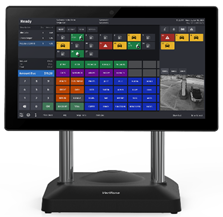
Verifone C18 es el POS integrado más potente de Verifone para tiendas de conveniencia, con funcionalidad y versatilidad sin igual. La interfaz de usuario de Verifone C18 está diseñada para que los cajeros atiendan a clientes que buscan una experiencia fluida. Su pantalla brillante y de alta definición es cómoda para la vista. Con sus impresionantes 18,5 pulgadas, ofrece amplio espacio para todas las necesidades de venta.
Verifone C18
### Selector de aplicaciones
La pantalla del POS Verifone C18 se puede colocar en la posición Home (orientada hacia el cajero) o Flip (orientada hacia el cliente), y se puede orientar para mostrar aplicaciones en formato horizontal o vertical en las posiciones Home y Flip.
Esta capacidad de hardware permite ejecutar varias aplicaciones para cajeros y clientes en formato horizontal y vertical.
{% hint style="info" %}
*Consulta la documentación de referencia para usuarios de App Selector para obtener más información sobre esta función.*
{% endhint %}
***
---
# Agent Instructions
This documentation is published with GitBook. GitBook is the documentation platform designed so that both humans and AI agents can read, navigate, and reason over technical content effectively. Learn more at gitbook.com.
## Querying This Documentation
If you need additional information that is not directly available in this page, you can query the documentation by asking a question.
Perform an HTTP GET request on the following URL with the `ask` and `goal` query parameters:
```
GET https://docs.verifone.com/cug-56.00/cug-56.00-en-es-419/referencia-del-usuario-de-commander-56.00/descripcion-general-de-las-estaciones-de-trabajo-pos.md?ask=&goal=
```
`ask` is the immediate question: it should be specific, self-contained, and written in natural language.
`goal` is what the user is ultimately trying to achieve, the reason they need the answer. Sharing it helps GitBook give you a better, more relevant answer. A goal is most helpful when it describes the outcome the user wants rather than restating the question. For example, with `ask=how do I create an API token`, a goal like `automate deployments from our CI pipeline` lets GitBook tailor the answer to that use case.
The response will contain a direct answer to the question and relevant excerpts and sources from the documentation.
Use this mechanism when the answer is not explicitly present in the current page, you need clarification or additional context, or you want to retrieve related documentation sections.