> For the complete documentation index, see [llms.txt](https://docs.verifone.com/llms.txt). Markdown versions of documentation pages are available by appending `.md` to page URLs; this page is available as [Markdown](https://docs.verifone.com/cug-57.00/commander-user-reference-57.00/configuration-client-forms/help.md).
# Help
Contains the forms in the Help tab of the Commander Configuration Client.

## About
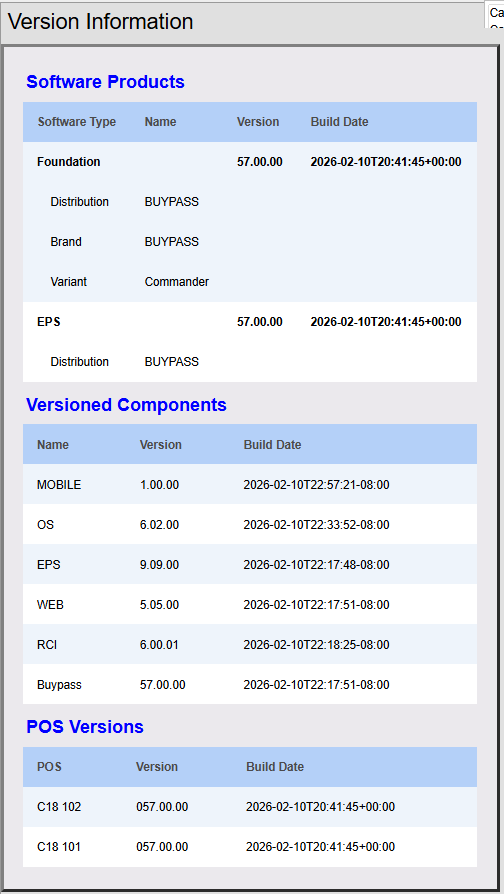
The About screen in the Help tab displays the versions of the software that the system is running.
### Software Separation
From Verifone Commander Release 57.00 deliverables are divided into the following separately deliverable software "products".
1. "EPS" – Electronic Payment System (formerly "Viper")
* Major releases are certified by payment partners
2. "Foundation" – The rest of the system:
* POS, Self-Checkout, Fuel, Food Service, Back Office Interface, etc.
Further subdivisions divides these major products into many fine-grained software "modules".
#### Benefits
* Separation promotes faster innovation of POS features while maintaining stable interfaces with payment hosts and partners.
* Enables future Commander software pieces to be developed/delivered on independent schedules.
* Potential for frequent enhancement of non-payment related features without need of brand recertification.
* Facilitates pinpoint changes to specific features and configuration.
* Modules are independently versioned and auditable, facilitating maintenance and customization.
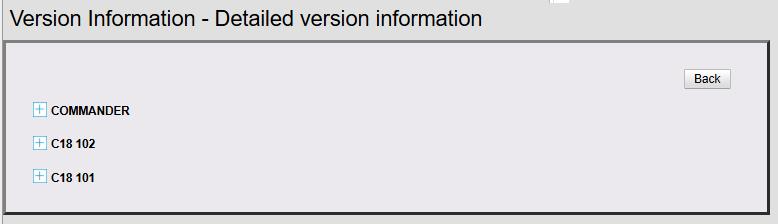
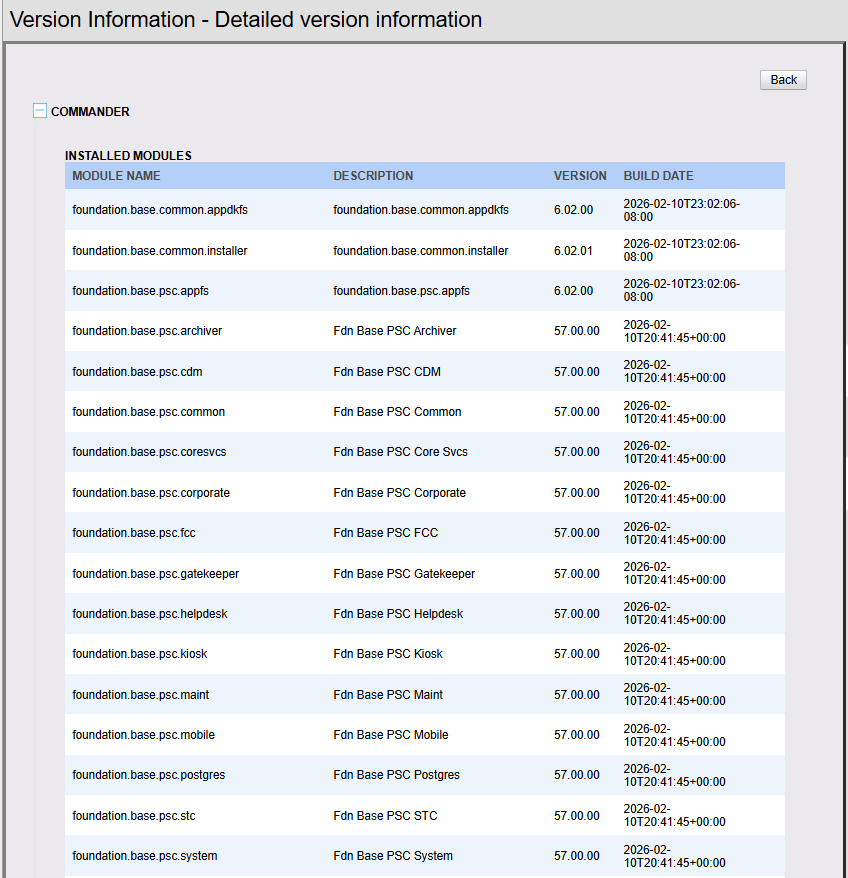
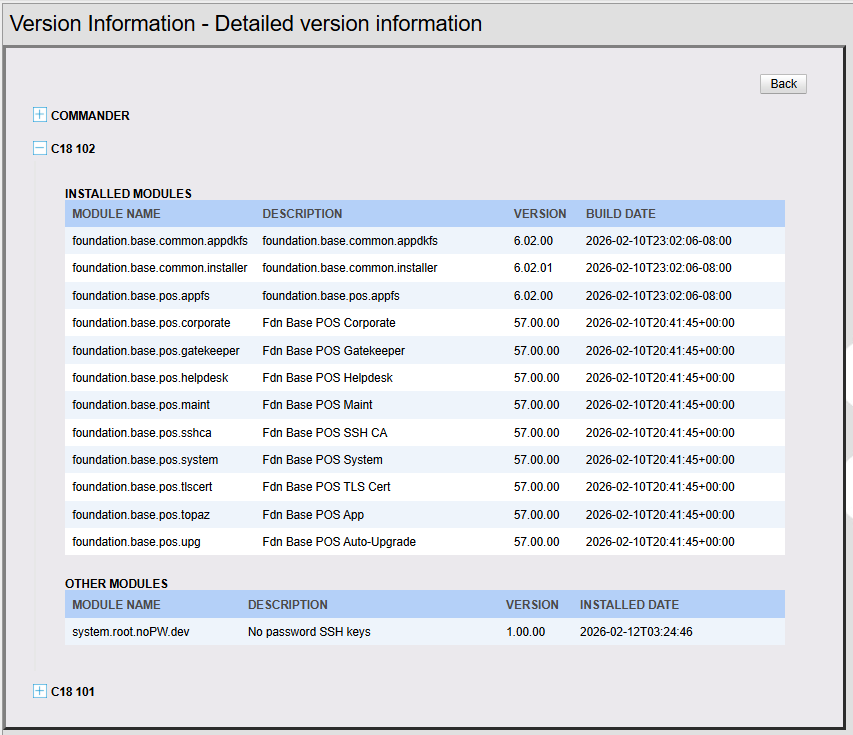
With this change the **Version Information** screen from **Help > About** has changed from the previous to the detailed one as below:
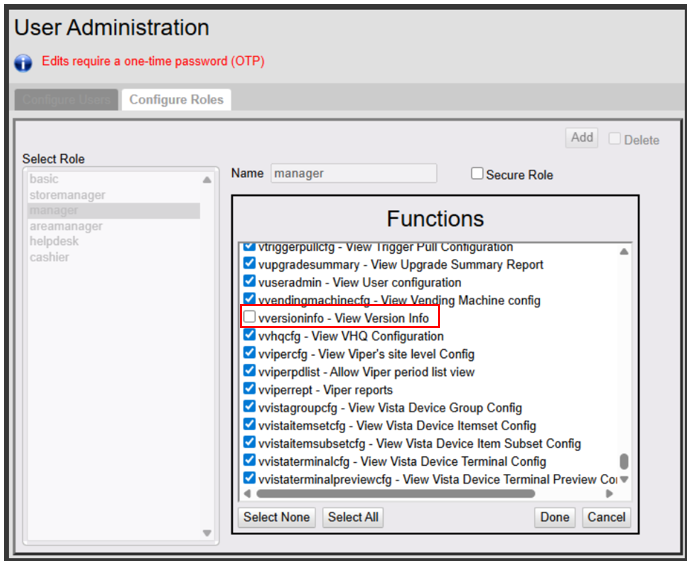
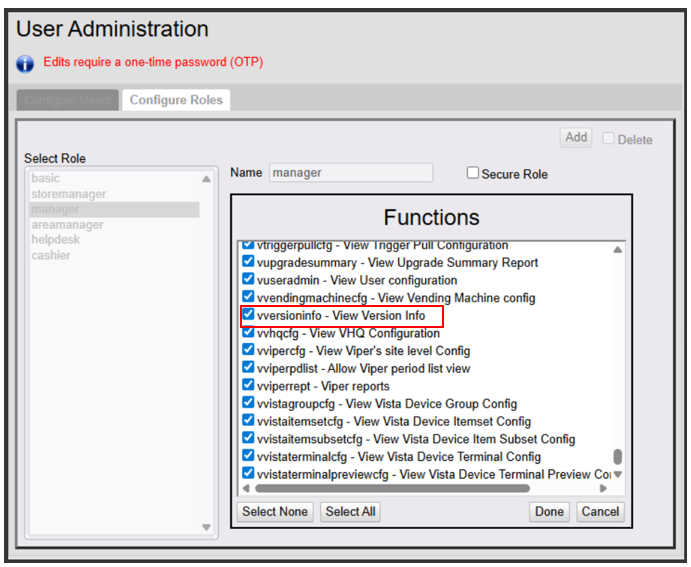
Inorder to see the detailed version information **vversioninfo - View Version Information** from **Security > Manage Users > Configure Roles** should be enabled for the role.
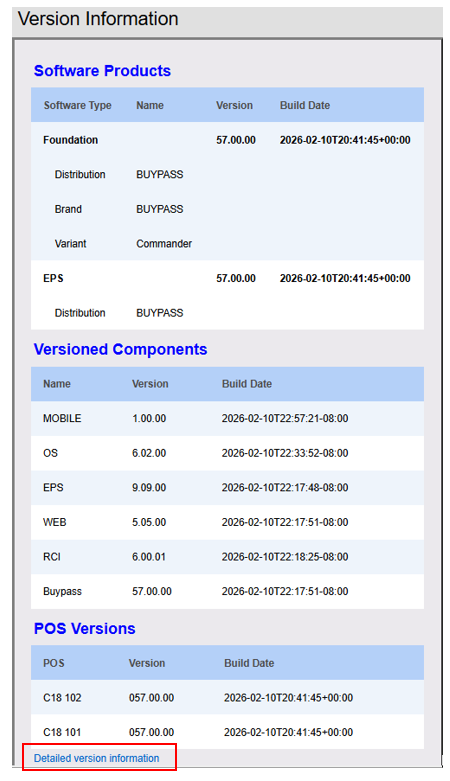
When the **vversioninfo - View Version Information** is enabled for the role, **Detailed Help Information** link appears on the Version Information screen.
Click on **Detail Version Information** to see the detauled versions of the software on Commander and POS.
## Support
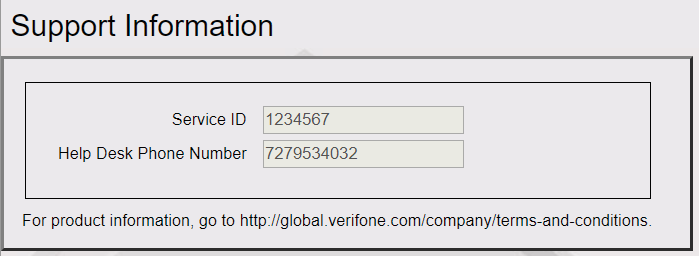
This screen contains the service ID entered during installation and the help desk phoe number.
The help desk phone number can be edited on configuration client from **Initial Setup > Maintenance Configuration > Telephone & Postal Code**.
---
# Agent Instructions
This documentation is published with GitBook. GitBook is the documentation platform designed so that both humans and AI agents can read, navigate, and reason over technical content effectively. Learn more at gitbook.com.
## Querying This Documentation
If you need additional information that is not directly available in this page, you can query the documentation dynamically by asking a question.
Perform an HTTP GET request on the current page URL with the `ask` query parameter, and the optional `goal` query parameter:
```
GET https://docs.verifone.com/cug-57.00/commander-user-reference-57.00/configuration-client-forms/help.md?ask=&goal=
```
`ask` is the immediate question: it should be specific, self-contained, and written in natural language.
`goal` is optional and describes the broader end goal you are ultimately trying to accomplish on behalf of the user. GitBook uses it to tailor the answer towards what is most useful for that goal.
The response will contain a direct answer to the question and relevant excerpts and sources from the documentation.
Use this mechanism when the answer is not explicitly present in the current page, you need clarification or additional context, or you want to retrieve related documentation sections.